Commission, edit and delete Gateways
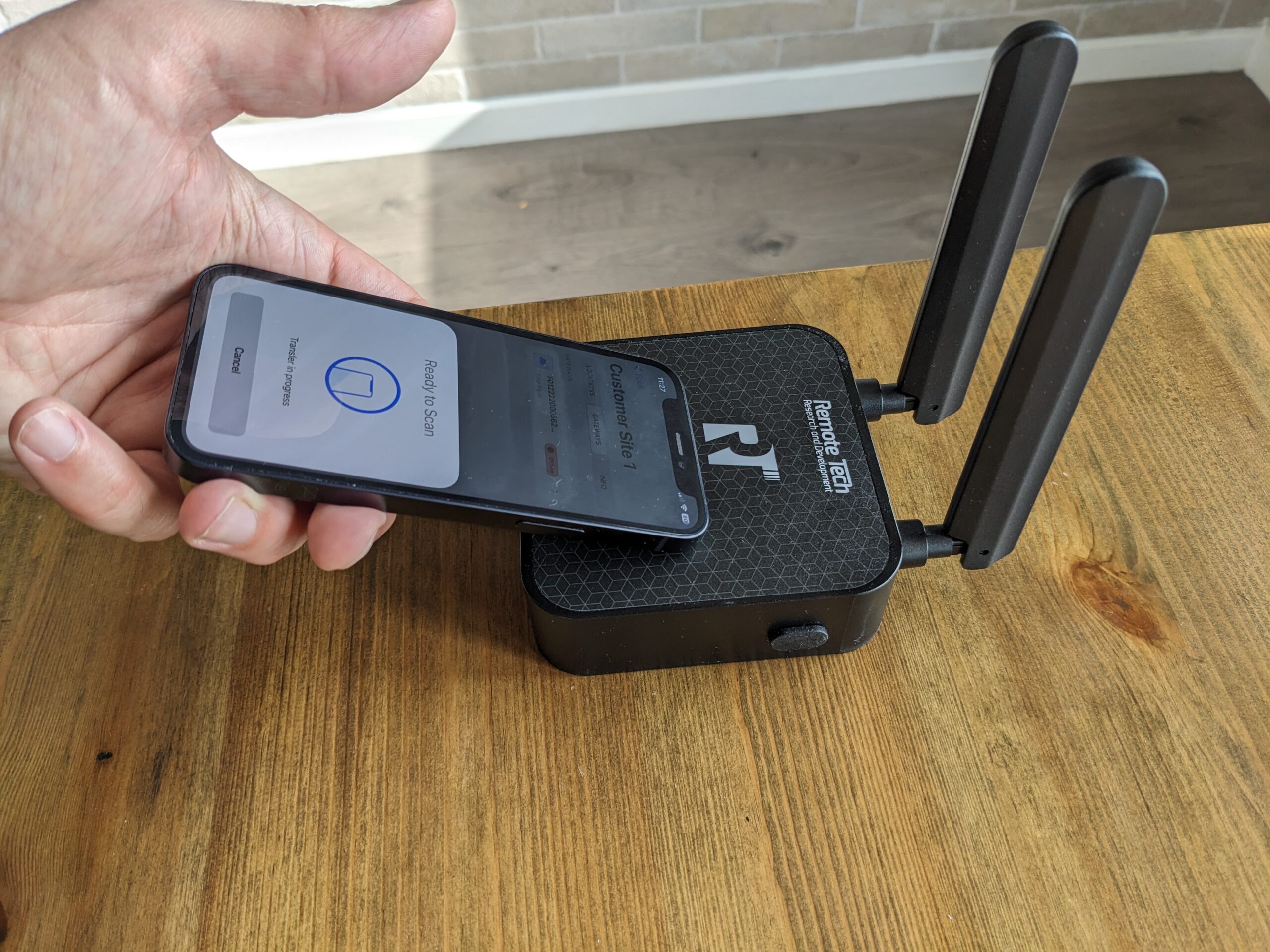
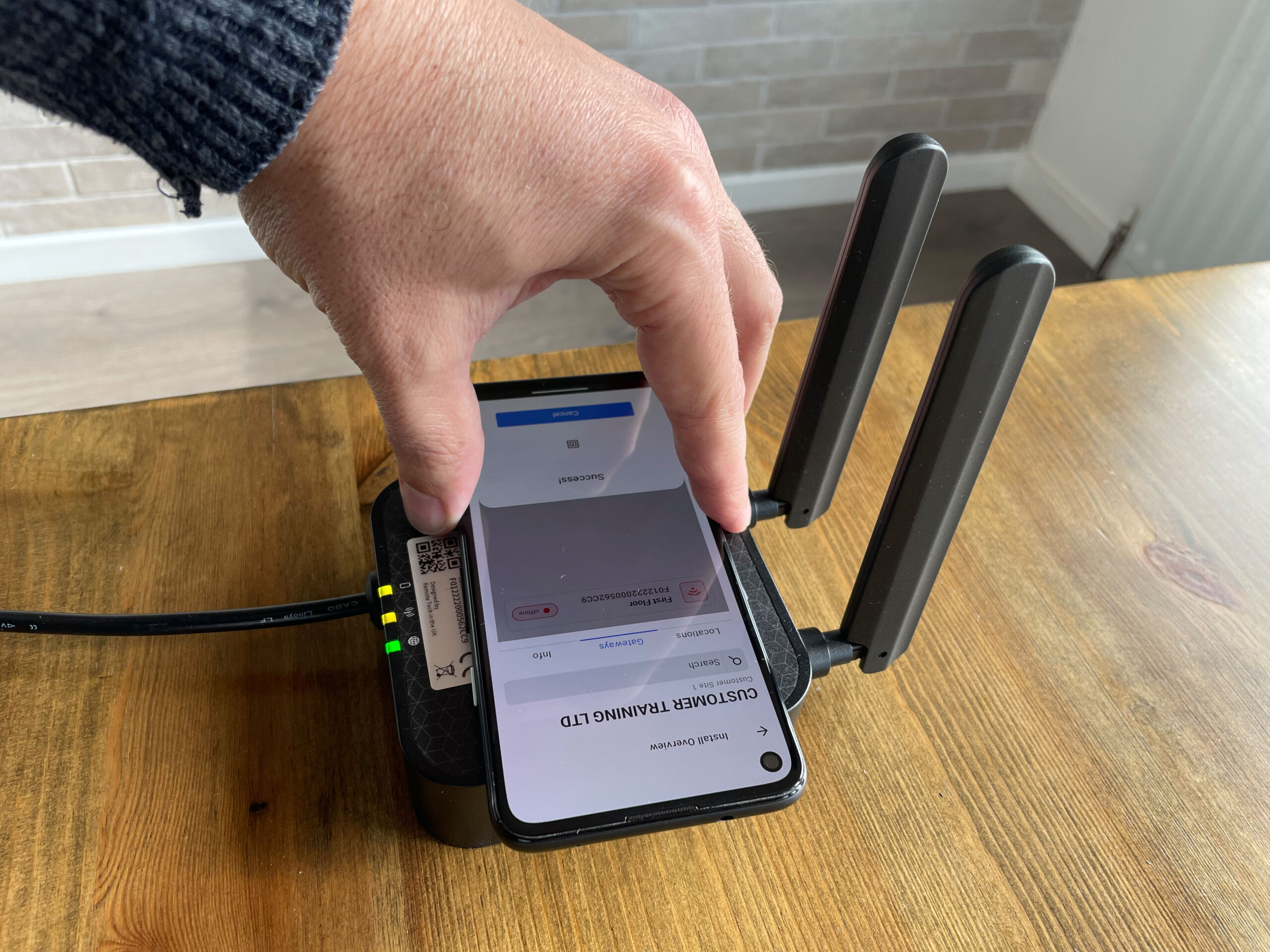
Once you have located a place with mains power and good cellular signal; plug the Gateway in and wait for it to boot up. After the boot sequence, you can commission the Gateway by navigating the L8log app to site > Gateways > add Gateway and scanning the NFC on the Gateway.
The NFC chip on the Gateway is located behind the RT logo on the front of the device. NFC communication requires accurate placement and can easily be disrupted by movement. If the NFC communication is interrupted, a wait period of 15 seconds will be required before scanning again. The NFC chip on an iPhone is located on the rear, near the top of the device, however android NFC chip locations can vary by device. Please refer to the device specifications for its location.
iOS placement android placement